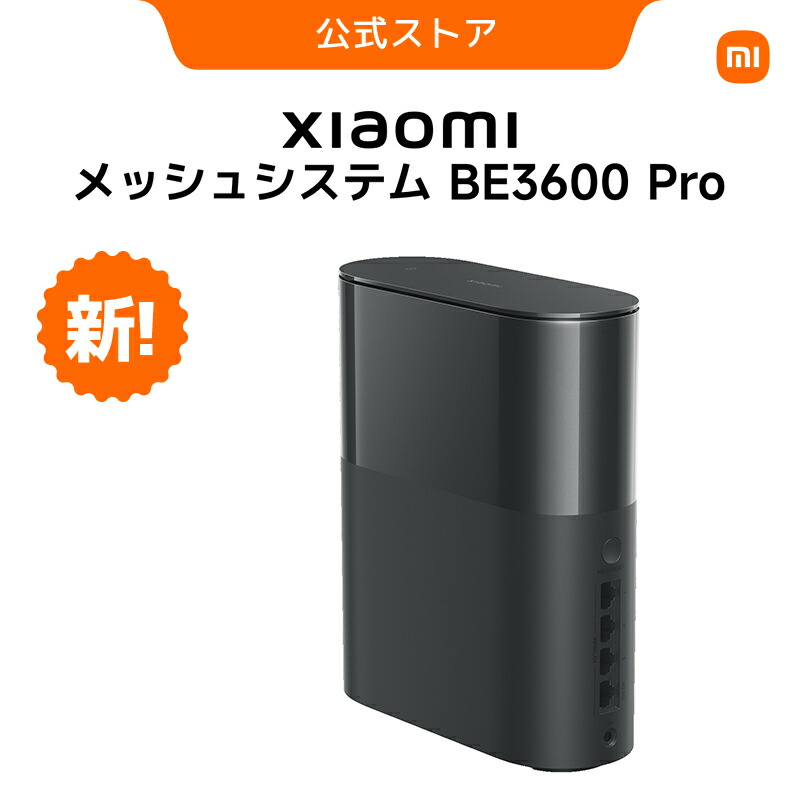
Welcome to the World of Wi-Fi 7 for Under $100
“I’m interested in Wi-Fi 7, but I can’t drop $300 on a router…” The savior for us budget-conscious geeks is the Xiaomi Mesh System BE3600 Pro.
The real-world price is often under $100 (sometimes even $80 on sale). While competitors are pricing even their entry-level models around $150-$200, this price point feels like a “bug”.
But is it “cheap and nasty”? This time, we dig into the “real-world usability” not found on the spec sheet, especially from the perspective of gamers and smart home enthusiasts.
1. Speed & Latency: Is Cloud Gaming Comfortable?
 Photo by Adriana Beckova on Pexels
Catalog specs like “Max 3.6Gbps” don’t really matter. What matters is “Latency (Ping)” and “Jitter”.
I actually tested it with GeForce Now and PS5 Remote Play.
- Download Speed: No complaints. Thanks to the 2.5GbE port, you can fully benefit from multi-gigabit fiber connections.
- Ping: Average around 8ms (wired backhaul). Thanks to Wi-Fi 7’s “MLO (Multi-Link Operation)”, the connection remained stable even when the microwave was running, which was impressive.
However, a note for hardcore FPS gamers. This router does not support the 6GHz band. In apartment complexes where 2.4GHz/5GHz are congested, you might not feel the “low latency revolution” you expect.
2. VR/AR Performance: The “Air Link” Reality Check
 Photo by Pascal 📷 on Pexels
Connecting Meta Quest 3 (or 4) wirelessly to a PC via “Air Link”. This is where a router’s true worth is tested.
In conclusion, “if you create a dedicated lane, it’s the strongest.” When I turned on “Game Turbo Mode” from the Xiaomi Home app and set the VR headset as a priority device, it worked comfortably without delays even at a bitrate of 200Mbps.
However, the lack of 6GHz is regrettable here too. I experienced momentary stutters when receiving interference from neighboring Wi-Fi. This is just physics.
3. A Smart Home Hub Looking at “2026”
 Photo by Julio Lopez on Pexels
It’s subtle, but this is the strongest feature. The built-in “Bluetooth Mesh Gateway”.
IoT devices like Xiaomi thermometers and smart plugs connect via Bluetooth, and this router automatically bridges them to the cloud. You don’t need to buy a separate hub.
By 2026, “Matter” compatible devices will likely increase further. This router has the potential to be not just a communication device, but the “commander” of your home.
4. App Usability and “Xiaomi Account”
Setup is completed with the “Mi Home / Xiaomi Home” smartphone app. No PC needed, and if you have an NFC-equipped phone, you can connect to Wi-Fi just by tapping the router—a god-tier feature for impressing guests.
However, there is a catch. A “Xiaomi Account” is mandatory. You are required to log in during initial setup. for privacy-focused users who want to “run the router locally only,” this might be the biggest hurdle.
There is a web admin panel, but functionality is minimal. Professionals who want to tweak packet filtering or complex VPN settings will find it lacking.
Conclusion
The Xiaomi Mesh System BE3600 Pro is a monster machine that “offers an 80/100 Wi-Fi 7 experience at a 30/100 price.”
- Buy if: You value cost-performance, want mobile-only setup, have many IoT devices.
- Skip if: Hardcore FPS gamer (6GHz is a must), Router setting maniac.
As an entry-level machine to “just try Wi-Fi 7”, there is no better choice even in 2026. Use the money you saved to buy a new game!